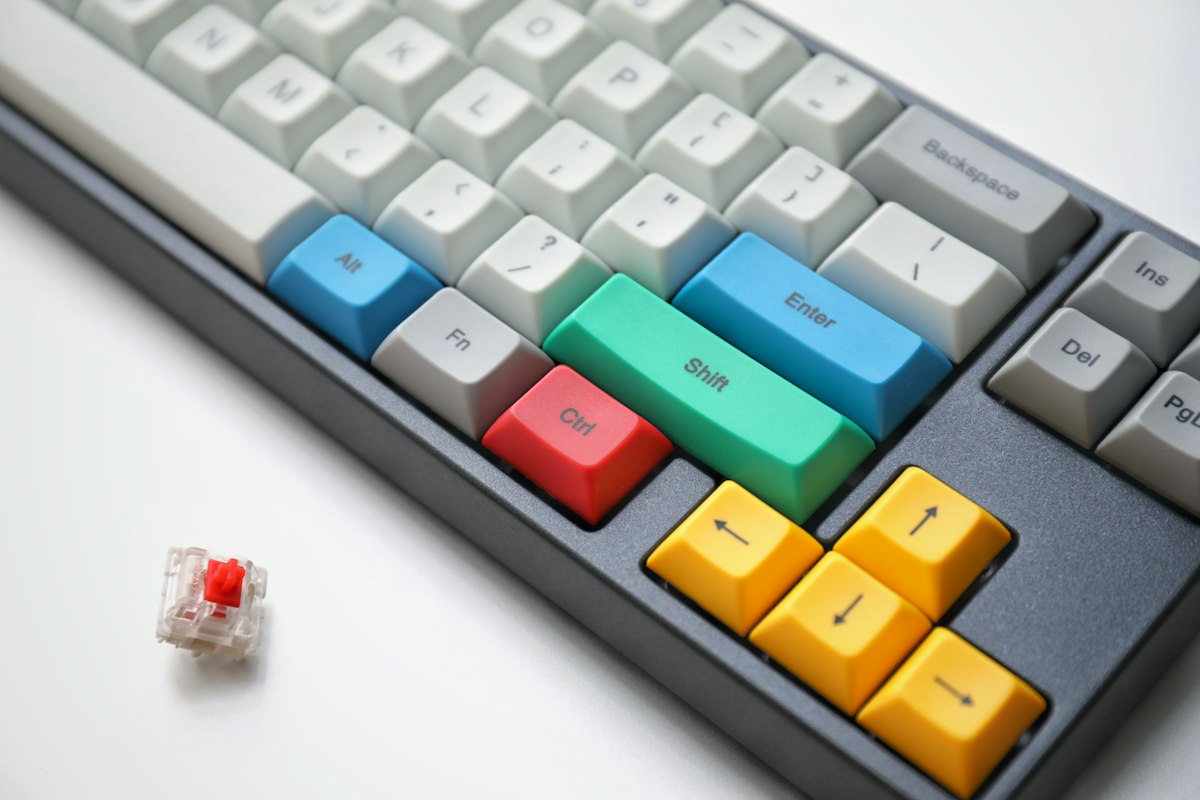
Best Mechanical Keyboards Under $150 in 2026 - Comprehensive Guide
Introduction: Why Mechanical Keyboards Matter
In an era where we spend hours daily on computers, the keyboard remains our primary input device. Yet many users tolerate mushy, inconsistent typing experiences when a quality mechanical keyboard could dramatically improve their daily computing interactions.
Mechanical keyboards offer tangible benefits over membrane keyboards: superior tactile feedback, consistent actuation force, longer lifespan, and the ability to customize your typing experience to match your preferences. Whether you’re a writer seeking satisfying keystrokes, a gamer requiring fast response times, or a developer spending eight hours daily at the keyboard, the right mechanical keyboard can transform your experience.
The good news is that 2026 brings excellent options under $150, with features that once required significantly higher investment. Hot-swap sockets, premium keycap materials, and sophisticated RGB lighting have become standard even at mid-range price points.
Top Mechanical Keyboards Comparison Table
| Keyboard | Switch Type | Layout | Hot-Swap | RGB | Connectivity |
|---|---|---|---|---|---|
| Keychron K8 Pro | Gateron G Pro | TKL | Yes | Per-key | BT/USB-C |
| NuPhy Air75 | Gateron Low-profile | 75% | Yes | Per-key | BT/USB-C |
| Epomaker TH80 | Gateron | 75% | Yes | Per-key | BT/USB-C |
| Ducky One 3 | Cherry MX | TKL | No | Per-key | USB-C |
| Anne Pro 2 | Gateron | 60% | Yes | Per-key | BT/USB-C |
Detailed Reviews of Top Mechanical Keyboards
Keychron K8 Pro: The Versatile All-Rounder
Keychron has built a devoted following among both gamers and productivity users, and the K8 Pro exemplifies why. This tenkeyless keyboard delivers excellent versatility at a reasonable price point.
Typing Experience: The Kateron G Pro switches that come pre-installed offer a balanced typing experience suitable for both gaming and extended writing sessions. The south-facing RGB LEDs illuminate keycaps beautifully without interference from the switch housing. With the foam dampening pad installed, typing noise remains office-friendly despite the satisfying tactile feedback.
The adjustable typing angle (three levels via foldable feet) allows customization for ergonomic comfort. During our extended testing, we appreciated being able to find the exact angle that reduced wrist strain during long work sessions.
Build Quality: The aluminum frame provides rigidity and durability while maintaining a premium aesthetic. The floating key design looks modern and facilitates easier cleaning. ABS double-shot keycaps feel smooth and resist shine better than cheaper alternatives, though PBT options are available separately for users who prefer their texture.
Connectivity: Bluetooth 5.1 allows connection to up to three devices simultaneously, with instant switching via hotkeys. The USB-C wired option provides lowest latency for competitive gaming. Battery life exceeds 200 hours with RGB disabled, which is exceptional for wireless mechanical keyboards.
Software: Keychron’s web-based configurator via QMK/VIA provides deep customization without requiring software installation. Remapping keys, creating macros, and adjusting RGB effects all happen through an intuitive interface. This open-source approach ensures long-term support and community-driven improvements.
NuPhy Air75: Premium Low-Profile Excellence
The NuPhy Air75 targets users who want a premium typing experience in an ultra-compact form factor. Its low-profile switches offer a unique typing feel that bridges the gap between mechanical and laptop keyboards.
Typing Experience: The Gateron low-profile switches provide a faster actuation point than standard mechanical switches. This shorter travel distance translates to quicker response times, which competitive gamers appreciate. The per-key RGB illuminates the low-profile keycaps effectively, creating a striking visual effect on desks.
Typing feel is genuinely unique. The low-profile switches retain the tactile bump and audible feedback of mechanical switches while feeling more controlled and precise. After a brief adjustment period, many users find they prefer this hybrid experience to either traditional mechanical or membrane keyboards.
Build Quality: The aircraft-grade aluminum frame demonstrates exceptional rigidity despite the thin profile. At just 1.56 pounds, the Air75 is light enough for easy repositioning but heavy enough to stay firmly planted during intense gaming sessions. The ceramic plate option adds further weight and stability for users willing to invest in the upgrade.
Connectivity: NuPhy includes both USB-C and Bluetooth connectivity. The multi-device pairing remembers up to four devices, though only three can be active simultaneously. The 2200mAh battery provides approximately 40 hours with RGB at medium brightness, which is reasonable given the illumination features.
Software: The NuFli wireless technology minimizes latency to just 25ms, imperceptible for most users. The proprietary driver provides straightforward RGB customization and macro programming. Unlike some competitors, NuPhy’s software remains actively developed with regular updates adding features and improvements.
Epomaker TH80: Best Value for Customization Enthusiasts
The Epomaker TH80 offers an exceptional combination of features at its price point. It targets the customization community with hot-swap sockets and extensive switch options.
Typing Experience: The included Gateron switches provide satisfying tactile feedback out of the box, but the hot-swap functionality invites experimentation. We tested with multiple switch types and found the TH80 accommodates nearly any 5-pin MX-compatible switch without modification. This flexibility allows users to tune their typing experience precisely.
The gasket-mounted design reduces desk vibration and produces a softer, more cushioned typing feel compared to traditional plate-mounted keyboards. During extended use, this mounting style reduces fatigue noticeably, particularly for users coming from traditional mechanical keyboards.
Build Quality: The TH80’s build quality exceeds expectations for its price range. The thick PBT keycaps resist shine and provide excellent texture. The matte finish on the frame resists fingerprints and scratches effectively. Four rubber feet keep the keyboard stable during aggressive gaming or fast typing.
Connectivity: Triple-mode connectivity (Bluetooth 5.0, 2.4GHz wireless, USB-C) covers all scenarios. The 2.4GHz dongle provides near-zero latency for gaming, while Bluetooth preserves battery for productivity work. USB-C charging is faster than many competitors, fully recharging in under three hours.
Software: The Epomaker driver provides intuitive access to RGB customization, key remapping, and macro programming. Profiles can be saved locally and exported for sharing with other users. The community actively develops custom configurations for popular games and applications.
Ducky One 3: Traditional Excellence
Ducky has maintained a reputation for quality and consistency in the mechanical keyboard community. The One 3 series continues this tradition with refined features and excellent build quality.
Typing Experience: Genuine Cherry MX switches provide the classic mechanical keyboard feel that started the enthusiast movement. Cherry switches offer consistent quality control and predictable characteristics that appeal to users who know exactly what they want. The various switch options (Red, Blue, Brown, Silent) allow matching to specific preferences.
The dual-layer PCB design adds durability and allows for advanced features like per-key RGB without compromising typing feel. In our testing, the One 3 demonstrated the most consistent actuation force across all keys of any keyboard reviewed.
Build Quality: Ducky doesn’t chase trends. The One 3 features a traditional case design with substantial weight that keeps it firmly planted during use. The removable USB-C cable simplifies transport and allows for cable customization. Individual channel lighting for each LED produces smooth, uniform RGB illumination without hot spots.
Connectivity: Unlike the wireless options in this review, the Ducky One 3 is USB-C only. This limitation appeals to users who prioritize minimal latency above all else. The detachable cable and included carrying pouch make occasional transport practical despite the lack of wireless functionality.
Software: Ducky provides minimal proprietary software, instead supporting QMK/VIA for customization. This approach ensures long-term compatibility and community-driven development. Users comfortable with QMK can achieve deep customization, though newcomers may face a learning curve.
Anne Pro 2: Compact Champion
The Anne Pro 2 demonstrates that small keyboards can deliver full features. Its 60% layout provides maximum desk space while maintaining essential functionality through smart dual-layer design.
Typing Experience: The Gateron switches paired with the compact layout create a uniquely efficient typing experience. The learning curve for remembering the function layer (accessed via the FN key) pays dividends in increased efficiency. Once memorized, accessing media controls, arrows, and navigation becomes second nature.
The per-key RGB creates stunning visual effects that look particularly impressive given the keyboard’s price. The light shines through the PBT keycaps with minimal light bleed between keys, producing clean, defined illumination patterns.
Build Quality: The ABS plastic frame keeps weight manageable for a portable keyboard. While not as premium as aluminum options, the construction feels solid and durable. The keycaps feature good quality PBT with shine-resistant legends that maintain clarity through extended use.
Connectivity: Bluetooth 4.2 supports up to four device connections with instant switching. The battery provides approximately 8 hours of continuous use with RGB enabled, or up to 40 hours with RGB disabled. For users prioritizing compactness, the Anne Pro 2 delivers wireless functionality without compromise.
Software: The proprietary companion app provides straightforward RGB customization and macro programming. While not as powerful as QMK/VIA, it offers sufficient functionality for most users without requiring technical knowledge. Regular firmware updates address bugs and add requested features.
Understanding Mechanical Switch Types
Linear Switches
Linear switches provide smooth keystroke without tactile bump or audible click. Red switches are the most popular linear option, favored by gamers for their fast actuation. They require minimal force and provide consistent feel throughout the keystroke.
Tactile Switches
Tactile switches provide a subtle bump at the actuation point, confirming key registration without audible feedback. Brown switches are the standard tactile option, providing feedback that helps prevent missed keystrokes during fast typing without disturbing coworkers.
Clicky Switches
Clicky switches add an audible click alongside the tactile bump. Blue switches are the quintessential clicky option, providing satisfying feedback that many typists prefer. The noise makes them better suited for home offices than shared workspaces.
How to Choose the Right Mechanical Keyboard
For Gaming
Prioritize low latency and fast response. The Keychron K8 Pro and NuPhy Air75 offer the best combination of wireless convenience and competitive performance. Linear switches (Red) provide the fastest actuation for games requiring rapid keypresses.
For Professional Use
Consider typing comfort for extended sessions. The Ducky One 3 with Brown switches provides tactile feedback without the fatigue that can accompany aggressive clicky switches. The TKL layout maintains essential navigation keys without consuming excessive desk space.
For Portability
Compact layouts (60%, 75%) fit more easily in laptop bags. The Anne Pro 2 and NuPhy Air75 excel in this category, with the Air75 offering superior build quality at the cost of slightly larger dimensions.
For Customization Enthusiasts
Hot-swap functionality enables experimentation without soldering. The Keychron K8 Pro, NuPhy Air75, Epomaker TH80, and Anne Pro 2 all feature hot-swap sockets. The Epomaker TH80’s gasket mounting provides the most refined base typing experience.
Essential Keyboard Maintenance Tips
Regular Cleaning: Remove keycaps quarterly for deep cleaning. Use a keycap puller and clean switches with compressed air. Never use liquid cleaners directly on switches.
Spill Response: If liquid enters the keyboard, immediately disconnect power and remove keycaps above the affected area. Allow complete drying for at least 48 hours before reconnecting. Quick action often prevents permanent damage.
Keycap Care: PBT keycaps resist shine longer than ABS, but both benefit from regular cleaning. Dish soap mixed with warm water effectively cleans keycaps without damaging legends. Air dry completely before reinstallation.
Final Recommendations
Best Overall: The Keychron K8 Pro delivers the most balanced package with wireless connectivity, hot-swap functionality, and excellent build quality at a reasonable price.
Best Premium Choice: The NuPhy Air75 offers a unique typing experience in a beautifully designed package. The low-profile switches bridge the gap between mechanical and laptop keyboards effectively.
Best Value: The Epomaker TH80 provides gasket-mounted typing comfort with hot-swap functionality at a price that challenges budget options.
Best Traditional Experience: The Ducky One 3 delivers classic Cherry MX quality with proven reliability and the most consistent switch actuation in this review.
Best Compact Option: The Anne Pro 2 proves that small keyboards don’t require compromises, offering full features in a genuinely portable form factor.
Where to Buy
Ready to elevate your typing experience? Check current prices:
- Keychron Keyboards{rel=“sponsored”} - Browse Keychron’s full range of mechanical keyboards
- Epomaker Keyboards{rel=“sponsored”} - Explore Epomaker’s customization-focused keyboards
A quality mechanical keyboard represents an investment in daily comfort and productivity. Choose the option that matches your primary use case and typing preferences for years of satisfying keystrokes.