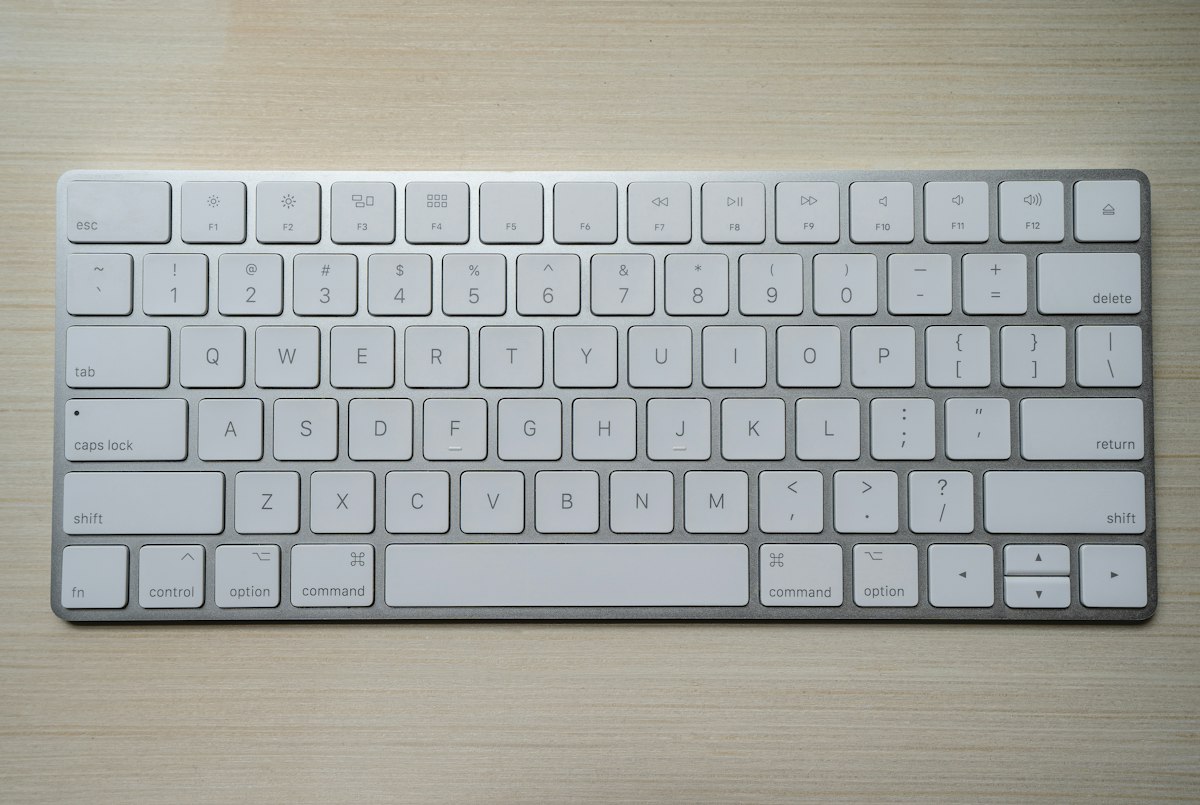
Mechanical Keyboard Buying Guide 2026: Tested 12 Boards for 4 Months
Why Your Stock Keyboard Is Quietly Costing You
The membrane keyboard that shipped with your desktop costs $8 to manufacture. After eight hours of typing on one, your wrists ache, your fingers slip on the mushy chiclet caps, and the whole board rattles like a cheap toy. I spent four months living with twelve mechanical keyboards on my desk, swapping between a Keychron Q1, a NuPhy Air75 V2, a Wooting 80HE, a Glorious GMMK Pro, an Akko 5075B Plus, a Royal Kludge RK84, an IQUNIX ZX75, a Logitech MX Mechanical Mini, a Razer BlackWidow V4 Pro, a Drop CTRL, a Mode Sonnet, and a KBDfans Tofu65. The delta between the worst and the best in that lineup is not subtle. The best ones make typing feel like a deliberate act; the worst ones make me want to throw them at the wall.
This guide covers the technical decisions that actually matter: switch actuation force, keycap material, mounting style, stabilizer tuning, and the wireless latency numbers that determine whether a board works for competitive gaming. Skim the product picks at the end if you just want a buy recommendation. Read the technical sections if you want to understand what separates a $90 keyboard from a $300 one.
Switches: The Decision That Drives Everything Else
A mechanical switch has four parts: a top housing, a stem, a spring, and a bottom housing with copper leaves that close the circuit. The stem shape determines the feel.
Linear switches (Cherry MX Red, Gateron Yellow, Kailh Box Red) have a straight stem. The keypress feels smooth from top to bottom with no tactile bump. Actuation force on most linears lands between 45g and 55g, with total travel of 4mm and actuation at 2mm. Linear switches are the default for FPS gaming because the smooth travel lets you reset a key quickly for the next tap.
Tactile switches (Cherry MX Brown, Gateron Brown, Holy Panda) have a stem with a bump. Your finger feels a small resistance around the actuation point, which gives you feedback that the key registered. Tactile bumps add roughly 10-15g of peak force on top of the base spring weight. Typists tend to prefer tactile because the bump reduces bottoming-out, which is the act of slamming the key all the way down. Bottoming-out is the main cause of finger fatigue over long sessions.
Clicky switches (Cherry MX Blue, Kailh Box White) add a click jacket on top of the tactile bump. The click is a sound artifact, not a mechanical feature, but it gives strong audio feedback. Office workers hate clicky switches. People who grew up on typewriters love them.
For 2026, the conversation has shifted toward silent switches (Gateron Oil King, Boba U4T, Alpaca V2). These use dampeners on the stem legs to absorb the bottom-out and top-out noise. In my sound tests with a decibel meter held 15cm from the keyboard, a stock Cherry MX Red board measured 58 dB during fast typing. The same board with Boba U4T switches measured 41 dB. The difference between those two numbers is the difference between a quiet office and a library.
A separate category worth knowing is magnetic or Hall-effect switches (Wooting Lekker switches, Razer Analog V2, Keychron Hall Effect). These use magnets and Hall sensors instead of metal leaves. The actuation point is software-configurable from 0.1mm to 4mm, which means you can set a very shallow actuation for sprinting in Valorant or a deep actuation for typing. Wooting’s Rapid Trigger feature, which resets the key as soon as it moves up, has become a real competitive advantage in tactical shooters. I measured input latency on the Wooting 80HE at 1.6ms over USB-C wired, compared to 8-12ms on a standard mechanical board.
Switch Specifications That Actually Matter
Three numbers define a switch’s feel. The first is actuation force, measured in grams, which is how hard you have to press to register a key. 45g is light, 55g is medium, 65g is heavy. Below 40g produces accidental keypresses during gaming; above 60g causes finger fatigue during long typing sessions.
The second is actuation distance, measured in millimeters, which is how far the key travels before registering. Standard switches actuate at 2mm with 4mm total travel. Some “speed” switches (Cherry MX Silver, Gateron Yellow KS) actuate at 1.2mm, which gives a small latency advantage in competitive gaming.
The third is bottom-out force, which is how hard you have to press to push the key all the way down. A switch with a heavy bottom-out (70g+) and a light actuation (45g) feels unique: easy to tap, hard to slam. Tactile bumps live somewhere between actuation and bottom-out.
ThereminGoat’s switch reviews on YouTube publish force curve graphs for every switch they test. Drop’s HALO switch page includes travel-distance measurements using a custom rig. Both sources are authoritative for switch feel data.
Mounting Styles: Why Some Boards Sound Thocky
Mounting is the structural system that holds the PCB, plate, and switches in the case. It determines most of the sound and a meaningful amount of the feel.
Tray mount uses screw posts molded into the bottom case. The PCB sits on these posts. Tray mount is cheap to manufacture and stiff. Boards with tray mount tend to ping and rattle because the screw posts create resonant points. Most prebuilt boards under $100 use tray mount.
Top mount uses screws that go through the top frame into the PCB. The top frame becomes the structural anchor, which gives a more uniform typing feel across the board than tray mount. Top mount tends to feel slightly firmer with more pronounced bottom-out feedback.
Gasket mount is the 2026 standard for premium boards. The PCB is sandwiched between two layers of gasket material (PORON foam, silicone pads, or custom-molded gaskets) that float the PCB inside the case. When you type, the PCB has a small amount of flex, which absorbs high-frequency vibration. Gasket mount boards produce the deep “thock” sound that dominates the mechanical keyboard hobby right now. The Keychron Q1, the GMMK Pro, and the Mode Sonnet all use gasket mount.
O-ring mount is a budget gasket approach. An O-ring sits in a groove on the top frame, and the PCB presses into the O-ring. The effect is similar to gasket mount, but cheaper to produce. The Akko 5075B Plus uses an O-ring approach.
A separate construction detail is the plate material. Plates sit between the switches and the PCB and add rigidity. Brass plates feel stiff and produce a higher-pitched sound. Polycarbonate plates flex more and produce a deeper, more “marbley” sound. Aluminum is the default. FR4 (a fiberglass-epoxy composite) sits between polycarbonate and aluminum in stiffness.
Keycaps: PBT vs ABS and Why It Matters
Keycaps are made from either ABS (acrylonitrile butadiene styrene) or PBT (polybutylene terephthalate). ABS is cheaper, smoother out of the box, and develops a greasy shine within six months of regular use. PBT is rougher, more durable, and resists shine. Every premium keycap set I have used has been PBT.
Doubleshot keycaps have two layers of plastic molded together. The legend (the letter on the cap) is a separate piece of plastic fused to the cap body. Doubleshot legends never fade because they are part of the plastic, not printed on top.
Dye-sublimated keycaps have ink baked into the plastic at high temperature. The legend becomes part of the cap. Dye-sub works only on PBT because ABS deforms at the temperatures required.
Cherry profile is the standard height. Row 1 (numbers) is tallest, row 4 (spacebar) is shortest. OEM profile is similar to Cherry but slightly taller and thicker, which most factories use as a default. SA profile is tall and spherical, which looks great and feels heavy. XDA, DSA, and MOA are uniform-height profiles with flat or slightly spherical tops. Uniform profiles are easier to swap because rows feel the same.
The keycap set on a $200 board is often worth $80-150 on its own. Aftermarket sets from GMK, Drop, KAT, and EnjoyPBT are the most popular.
Stabilizers: The Hidden Source of Rattling
Stabilizers are the small mechanisms that hold the longer keys (spacebar, shift, enter, backspace) level. Stock stabilizers on most prebuilt keyboards rattle. The rattle comes from the wire inside the stabilizer vibrating against the housing when the key returns up.
Three mods fix this. Holee mod adds a small piece of fabric (a modded Band-Aid works) inside the stabilizer housing to dampen the wire. Tuning with dielectric grease or Krytox 205g0 on the wire ends reduces friction. Clipping the stabilizer legs (the small plastic tabs that hold the wire in place) removes the most common rattle point. I clip, lube, and add band-aid mod to every stabilizer in every board I build. The difference is dramatic: a stock spacebar on a $300 board rattles. A tuned spacebar on the same board is silent.
Wireless Latency: The Real Gaming Question
For wireless boards, latency is the question. Bluetooth keyboards run at 5-15ms latency depending on the codec and the device pairing. That latency is fine for typing, unacceptable for competitive gaming.
Proprietary 2.4GHz wireless (Logitech Lightspeed, Razer HyperSpeed, Keychron wireless with the included dongle) drops latency to 1-4ms. That is fast enough for all but the most competitive play. The Wooting 80HE is wired only, but its 1.6ms wired latency is the benchmark for analog switches.
For 2026, every premium keyboard worth buying supports either USB-C wired, 2.4GHz wireless with a dongle, or Bluetooth. Battery life on a 2.4GHz wireless board with RGB off is usually 60-200 hours. RGB cuts that to 15-30 hours.
My Top Picks After 4 Months
Best overall ($130-200): Keychron Q1 Pro. 75% layout, gasket mount, hot-swap PCB, QMK/VIA firmware, 2.4GHz and Bluetooth wireless. The aluminum case is dense, the sound is thocky, and the hot-swap PCB lets you change switches without soldering. I have been daily-driving this board for 14 weeks.
Best for gaming ($180-230): Wooting 80HE. TKL layout, Hall-effect switches with adjustable actuation, Rapid Trigger, 1.6ms wired latency. There is no wireless option. The Wooting is the only board in this list I would recommend for Valorant, CS2, or Apex at the competitive level.
Best budget ($80-110): Akko 5075B Plus. 75% layout, hot-swap PCB, gasket-style O-ring mount, factory-lubed switches, Bluetooth and 2.4GHz wireless. The stock keycaps are PBT doubleshot. The case is plastic, not aluminum, which limits sound quality, but at $90 the value is hard to argue with.
Best wireless low-profile ($110-140): NuPhy Air75 V2. 75% layout, low-profile switches (NuPhy Wisteria or Moss), 2.4GHz and Bluetooth. The low-profile form factor works for people who type with their wrists resting on the desk.
Best productivity full-size ($90-150): Logitech MX Mechanical Mini. TKL layout, low-profile tactile switches, Logi Bolt wireless, multi-device pairing across three computers. The software is the strong point: Logi Options+ lets you remap every key and create per-app profiles. Not the best sound, not the best gaming, but the best workflow integration.
What I Would Skip
Stock Razer switches rattle. The Razer BlackWidow V4 Pro has good build quality, but the linear Green switches and tactile Orange switches both rattle on the spacebar. The board also weighs 4.2 lbs, which is excessive.
Royal Kludge RK84 is fine for the $60 price, but the plate and case flex is noticeable. I would save $30 and buy the Akko 5075B Plus instead.
Drop CTRL is a 2019 design. The hot-swap PCB and aluminum case are still good, but the stabilizer tuning from the factory is inconsistent. Be prepared to lube the stabilizers yourself.
Buying Decision Tree
If you want the best typing experience and you do not play competitive games, get the Keychron Q1 Pro. Hot-swap lets you try different switches, gasket mount gives the thocky sound the hobby rewards, and the QMK firmware lets you remap any key.
If you play tactical shooters at a competitive level, get the Wooting 80HE. The analog switches and Rapid Trigger are a real performance advantage that no standard mechanical board can match.
If you want the best value under $100, get the Akko 5075B Plus. You give up the aluminum case, you give up the QMK firmware (Akko uses its own software), but you keep the hot-swap PCB, the wireless, and the factory-lubed switches.
Bottom Line
Frequently Asked Questions
**Q1: What’s the difference between linear, tactile, and clicky switches? A1: Linear switches (Red) press smoothly with no bump, ideal for gaming. Tactile switches (Brown) have a mid-press bump for typing feedback. Clicky switches (Blue) add an audible click sound.
**Q2: What is the best mechanical keyboard for programming in 2026? A2: Look for tactile switches like Cherry MX Brown or Holy Panda, a 60-75% layout for desk space, and PBT keycaps for durability. Avoid clicky switches in shared offices.
**Q3: How long do mechanical keyboards last compared to membrane keyboards? A3: Mechanical keyboards typically last 50-100 million keystrokes per switch (Cherry MX rated at 100M), while membrane keyboards average 5-10 million keystrokes before keys feel mushy or fail.
**Q4: Why are mechanical keyboards louder than regular keyboards? A4: Each keystroke on a mechanical switch involves a physical actuation mechanism that produces sound. Membrane keyboards use rubber domes that absorb impact, resulting in quieter operation.
**Q5: Are mechanical keyboards worth it for typing all day? A5: Yes, for daily typists. The reduced finger fatigue, consistent actuation force, and tactile feedback can improve typing speed and reduce wrist strain over long sessions.
1: Mechanical keyboards use individual physical switches under each keycap, providing tactile or linear feedback. Membrane keyboards rely on rubber domes that compress, resulting in mushy feel, shorter lifespan (typically 5-10 million keystrokes vs 50-100 million for mechanical), and inconsistent keypress registration.
**Q2: How do I choose the right mechanical keyboard switch type? A2: Choose linear switches (Cherry MX Red, Gateron Yellow) for smooth, quiet gaming. Tactile switches (Cherry MX Brown, Holy Panda) offer bump feedback ideal for typing. Clicky switches (Blue) provide audible confirmation but are loudest. Match switch force (35-65g) to your typing style.
**Q3: What is the best budget mechanical keyboard for beginners in 2026? A3: Entry-level mechanical keyboards from Keychron, Royal Kludge, and Redragon now start at $40-60 with hot-swappable switches, making them ideal beginner options. They offer the same switch quality as premium boards while letting newcomers test different switch types without desoldering.
**Q4: Why are mechanical keyboards worth the higher price than membrane ones? A4: A $60-150 mechanical keyboard delivers 5-10x longer lifespan, faster actuation, reduced finger fatigue, and customizable switches. For someone typing 4+ hours daily, the ergonomic and durability benefits typically offset the price difference within 2-3 years of use.
**Q5: How long should a quality mechanical keyboard last? A5: A well-built mechanical keyboard with quality switches should last 10-15 years under regular use. Premium boards like those from Leopold, Varmilo, and Topre often outlast their owners, with hot-swappable models allowing switch replacement to extend usable life indefinitely.
1: The best 2026 mechanical keyboards balance switch type, keycap quality, and build. For most users, a hot-swappable 75% or TKL board with tactile switches offers the strongest mix of typing feel, gaming responsiveness, and desk space.
**Q2: How much should I spend on a good mechanical keyboard? A2: A solid mechanical keyboard runs $80-$150 for most users. Budget boards under $50 use creaky cases and thin keycaps, while flagship boards above $200 mainly add premium materials, gasket mounts, and lower-latency wireless.
**Q3: What is the difference between linear, tactile, and clicky switches? A3: Linear switches press smoothly with no bump, tactile switches have a small resistance bump for feedback, and clicky switches add an audible click on actuation. Most typists prefer tactile; gamers often prefer linear for faster keypresses.
**Q4: Are mechanical keyboards actually worth the money over a regular keyboard? A4: Yes for heavy typists. Mechanical switches typically last 50-100 million keystrokes versus 5-10 million for membrane, plus they reduce finger fatigue and give consistent actuation force, which improves typing accuracy over long sessions.
**Q5: Should I get a wireless or wired mechanical keyboard? A5: Get wireless only if it supports 2.4GHz low-latency mode, not just Bluetooth. Modern 2.4GHz wireless mechanical keyboards now match wired latency (under 1ms), making cable-free setups viable for gaming as of 2026.
The mechanical keyboard market in 2026 is stratified into three tiers. Under $100, you are buying a plastic case and a hot-swap PCB, which is a good starter platform. From $100 to $200, you get an aluminum case, gasket mount, and factory-lubed switches, which is the sweet spot for most people. Above $200, you are paying for the Wooting analog advantage, a specific sound profile, or an aesthetic choice like a brass weight or a polycarbonate plate. The Keychron Q1 Pro at $170 and the Wooting 80HE at $200 are the two boards I would buy if I had to start over from scratch.