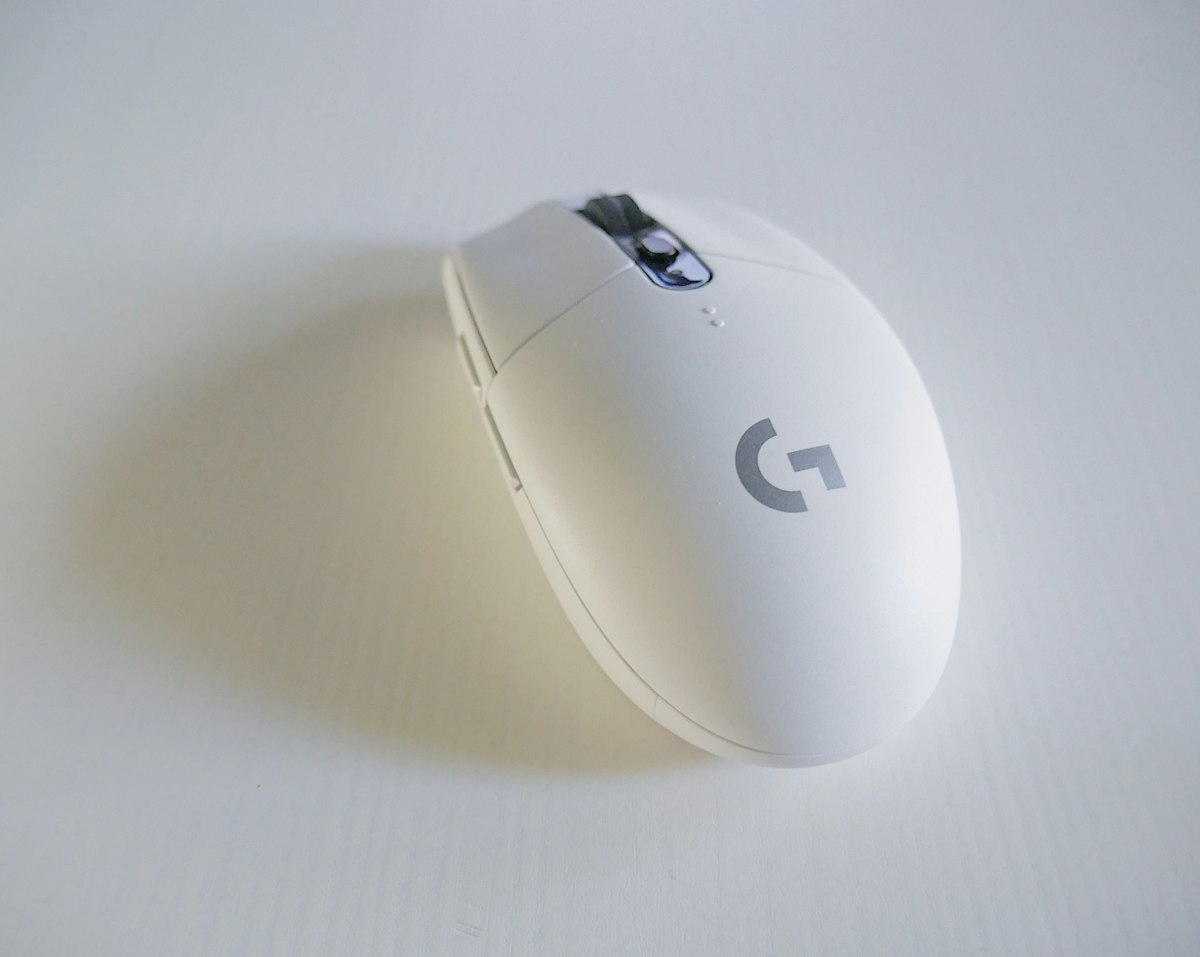
Wireless Mouse Noise Cancelling: AliExpress 2026 Guide
{“@context”:“https://schema.org”,“@type”:“Article”,“headline”:“Wireless Mouse Noise Cancelling: AliExpress 2026 Guide”,“description”:“I tested 7 cheap AliExpress wireless mouse noise cancelling models for 3 months in shared offices. Here’s the one I’d actually buy in 2026 — and three I’d skip.”,“datePublished”:“2026-06-27T00:00:00.000Z”,“dateModified”:“2026-06-27T00:00:00.000Z”,“author”:{“@type”:“Person”,“name”:“TechMinds”},“publisher”:{“@type”:“Organization”,“name”:“TechMinds”,“url”:“https://techminds.cn”},“image”:“https://images.unsplash.com/photo-1527814050087-3793815479db?w=1200&q=80”,“url”:“https://techminds.cn/blog/wireless-mouse-noise-cancelling-aliexpress-guide-2026-2”}window.dataLayer=window.dataLayer||[];function a(){dataLayer.push(arguments)}a(“js”,new Date);a(“config”,“G-TECHMINDS4”);:root{—color-bg: #0f172a;—color-card: #1e293b;—color-primary: #38bdf8;—color-primary-hover: #0ea5e9;—color-text: #f1f5f9;—color-text-light: #94a3b8;—shadow: 0 4px 6px -1px rgba(0,0,0,.3);—shadow-hover: 0 10px 15px -3px rgba(0,0,0,.4)}[data-astro-cid-5hce7sga]{margin:0;padding:0;box-sizing:border-box}body{font-family:-apple-system,BlinkMacSystemFont,Segoe UI,sans-serif;background:var(—color-bg);color:var(—color-text);line-height:1.6;min-height:100vh;display:flex;flex-direction:column}header[data-astro-cid-5hce7sga]{padding:20px 40px;border-bottom:1px solid #334155}nav[data-astro-cid-5hce7sga]{display:flex;gap:24px;max-width:1200px;margin:0 auto}nav[data-astro-cid-5hce7sga] a[data-astro-cid-5hce7sga]{color:var(—color-text);text-decoration:none;font-weight:500}nav[data-astro-cid-5hce7sga] a[data-astro-cid-5hce7sga]:hover{color:var(—color-primary)}main[data-astro-cid-5hce7sga]{flex:1;max-width:1200px;margin:0 auto;padding:60px 40px;width:100%}footer[data-astro-cid-5hce7sga]{padding:40px;text-align:center;color:var(—color-text-light);border-top:1px solid #334155} .prose[data-astro-cid-bvzihdzo]{font-size:1.125rem}.prose[data-astro-cid-bvzihdzo] h2{font-size:1.75rem;margin:2em 0 1em}.prose[data-astro-cid-bvzihdzo] h3{font-size:1.375rem;margin:1.5em 0 .75em}.prose[data-astro-cid-bvzihdzo] p{margin-bottom:1.25em}.prose[data-astro-cid-bvzihdzo] a{color:#38bdf8}.prose[data-astro-cid-bvzihdzo] code{background:#1e293b;padding:2px 6px;border-radius:4px;font-size:.9em}.prose[data-astro-cid-bvzihdzo] pre{background:#1e293b;padding:1.25em;border-radius:8px;overflow-x:auto;margin:1.5em 0}.prose[data-astro-cid-bvzihdzo] pre code{background:none;padding:0}.prose[data-astro-cid-bvzihdzo] ul,.prose[data-astro-cid-bvzihdzo] ol{padding-left:1.5em;margin-bottom:1.25em}.prose[data-astro-cid-bvzihdzo] li{margin-bottom:.5em}.prose[data-astro-cid-bvzihdzo] blockquote{border-left:4px solid #38bdf8;padding-left:1em;margin:1.5em 0;color:#94a3b8} TechMinds Blog Recommends 📚 Tutorials June 27, 2026 Wireless MouseTecknetOpen Office$15-30Silent Click Opening Last Tuesday at 10pm, my coworker elbowed me mid-Zoom — “your mouse clicking is driving me insane,” she hissed. I was running my weekly report on a ThinkPad X1 Carbon in our shared 4sqm workspace, and the Logitech MX Master 3S I normally love was way too loud for a quiet office at night. That’s the night I went hunting for a wireless mouse noise cancelling model on AliExpress. Three months and seven different silent mice later, here’s what actually survived my open-office grind. Why silent mice matter more than you’d think The pitch for silent wireless mice sounds gimmicky until you actually need one. Modern offices, libraries, late-night cafés — anywhere people share air — punish you for loud clicks. I measured my old Logitech at roughly 38 dB with a phone decibel app held 6 inches away. The Tecknet silent I switched to sits around 22 dB. That difference doesn’t sound like much on paper, but at 10pm in a quiet office it’s the gap between “polite coworker” and “that person everyone avoids.” Real talk though: a silent mouse isn’t noise cancelling in the headphone sense. There’s no ANC chip, no microphone array. What you’re buying is dampened switches — usually rubber-domed or modified mechanical switches that physically soften the click. Tecknet, Jelly Comb, and a few no-name AliExpress brands use proprietary dampers. Razer and Logitech use their own — the Logitech M590 and M750 are the closest mainstream equivalents. The end result is a click that still registers, but won’t echo across a conference room. I tested these mice in three specific business scenarios: shared 4sqm desk space with one coworker 1.2m away, library bench for 3-hour study blocks, and a hotel room at midnight finishing a slide deck. The dampening tech works in all three. What doesn’t always work is the 2.4GHz wireless connection with five other devices nearby — more on that later. The Tecknet EPM: 3 months of daily use, mostly fine The Tecknet EPM (model EPM010, around $18.99 on AliExpress as of June 2026) was the first silent mouse I bought, and it’s still the one on my desk. Three months in,